

Design
UI Design vs Performance: Speed Without Sacrifice


When it comes to designing a website or an app, designers always look for ways to constantly improve the user experience. Buttons, colors, layout, and typography all matter when your product is competing against many other well-designed options.
What is often forgotten is performance. Things like image optimization and small handoff notes can make a big difference in load speed once developers start implementing the design.
Why is prioritizing load speed important?
Good user experience is crucial when someone tries your product for the first time. It’s just as important for returning customers. Designers and engineers share the responsibility to keep the product fast so bounce rates don’t creep up over time.
When a new or returning customer has a good experience, no long waits, no stalled screens, they’re more likely to stick around and recommend it to others.
On the flip side, slow load times don’t just frustrate users. They can hurt conversion rates, search rankings, and the overall perception of your brand.
So, what practical steps can designers take to support performance from the very beginning?
There are simple practices designers can include in their handoff process so that when an engineer starts building it’s clear how to keep the UI both beautiful and fast.
Here are some of them:
- Optimizing images
When working with images, designers should always think in terms of scale (1x, 2x, 3x), and not to include images that are bigger than what’s needed. If an image is much bigger than its final display size, use a free online tool to resize and compress it before handing it off.
It also helps to use lighter formats like WebP or AVIF when possible. These are usually smaller than traditional formats like JPG or PNG while keeping good visual quality.
Not every single image needs to be ultra-compressed, hero photography and key visuals still need to look sharp, but being intentional about most assets can save seconds of load time.
- Lazy loading
A good practice is also to include a note where the designer specifies that a screen needs ‘Lazy loading’. Lazy loading means images are only loaded when the user scrolls them into view.
This is especially useful on pages with lots of graphics, because it prevents the browser from trying to load everything at once, slowing the entire page down.
- Skeleton screens
Skeleton screens don’t change how fast assets actually load; they improve perceived performance by giving users something to look at while content appears.
Instead of showing a blank page, skeletons let users know that the interface is loading as expected and help make the experience feel faster, even if the actual load time stays the same.
- Above the fold content
Here, the designer should specify which is the content that is vital for the user to see first, before loading the rest of the page. This lets the website load primarily the hero, header and key CTAs while the rest of the content can load afterward.
- Performance notes
These notes refer to all the items mentioned before. We have all these small tips and tricks but we only need one missing piece: documenting them clearly.
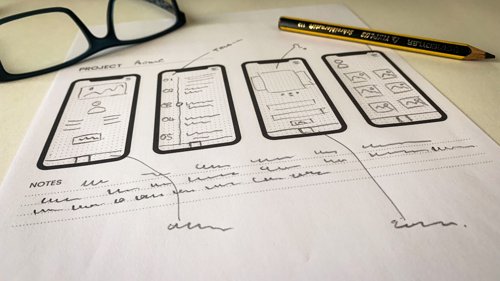
Designers can leave performance notes for engineers directly in tools like Figma, Zeplin, Notion or whatever the team uses.
Example notes designers can include:
‘Icon images must be loaded in SVG format’
‘Carousel images must have lazy loading’
‘Use Lottie, not GIF’
‘Show skeleton before content’
- Performance tests
Finally, stay involved in performance testing from time to time.
Check the website or app to see if loading times feel acceptable to a real user.
Tools like Lighthouse (Chrome), PageSpeed Insights, WebPageTest can give you concrete loading times and insights of what’s working and what’s not.
To conclude, good loading speeds are crucial for any website or app, especially if you’re selling a product or service. Fast experiences keep users engaged and willing to come back.
Implementing these good practices during design and handoff helps prevent the “why is our bounce rate so high?” headaches later on, when the team realizes users are leaving simply because the product takes too long to load.
For teams building AI-enabled or data-heavy products, this balance between beauty and speed isn’t a nice-to-have, it’s the difference between users exploring your features and abandoning them.
More posts in Design

The Design Process Was Built for a World That No Longer Exists.
What happens to design when execution is no longer the bottleneck.

Apr 6, 2026

Paralysis by Analysis: When Research Starts Holding Your Product Back
When too much research stalls progress, focused action and prototyping unlock better product decisions.

Dec 10, 2025
Thinking About University? Product Design Deserves a Spot on Your List
Discover why Product Design deserves a place on your university list—blend creativity, tech, and business into a career shaping impactful products.
Aug 28, 2025

Let's talk about your vision.
Not sure if your idea is ready? Run our MVP Diagnostic, powered by AI.