

From a negotiated offer to a completed order
For marketplace founders, commerce includes the decisions before checkout and the work after it. We helped HobbyMP connect discovery, offers, payment, and order progress.
A trade needs more than a checkout
The purchase button is one part of a longer transaction. Collectibles dealers also need to compare listings, agree on a price, and follow the order after payment.
Hobby Market Pro brings buyers and sellers into the same application. We helped its founders turn their knowledge of the collectibles market into product flows, interfaces, and a custom Ruby on Rails application.
Connect discovery, negotiation, and order progress
Find a product and agree on terms
Product filters help buyers narrow the catalog. Seller listings carry quantities, prices, and packaging details, giving buyers the context to make an offer.
Keep the transaction understandable
We connected accepted offers to order records and Stripe-hosted checkout. The order tracks payment confirmation, shipment, completion, and cancellation as distinct states.
Buyers and sellers share an order view with activity and messaging. Notifications accompany key transitions so participants can follow what happened and what needs their attention.
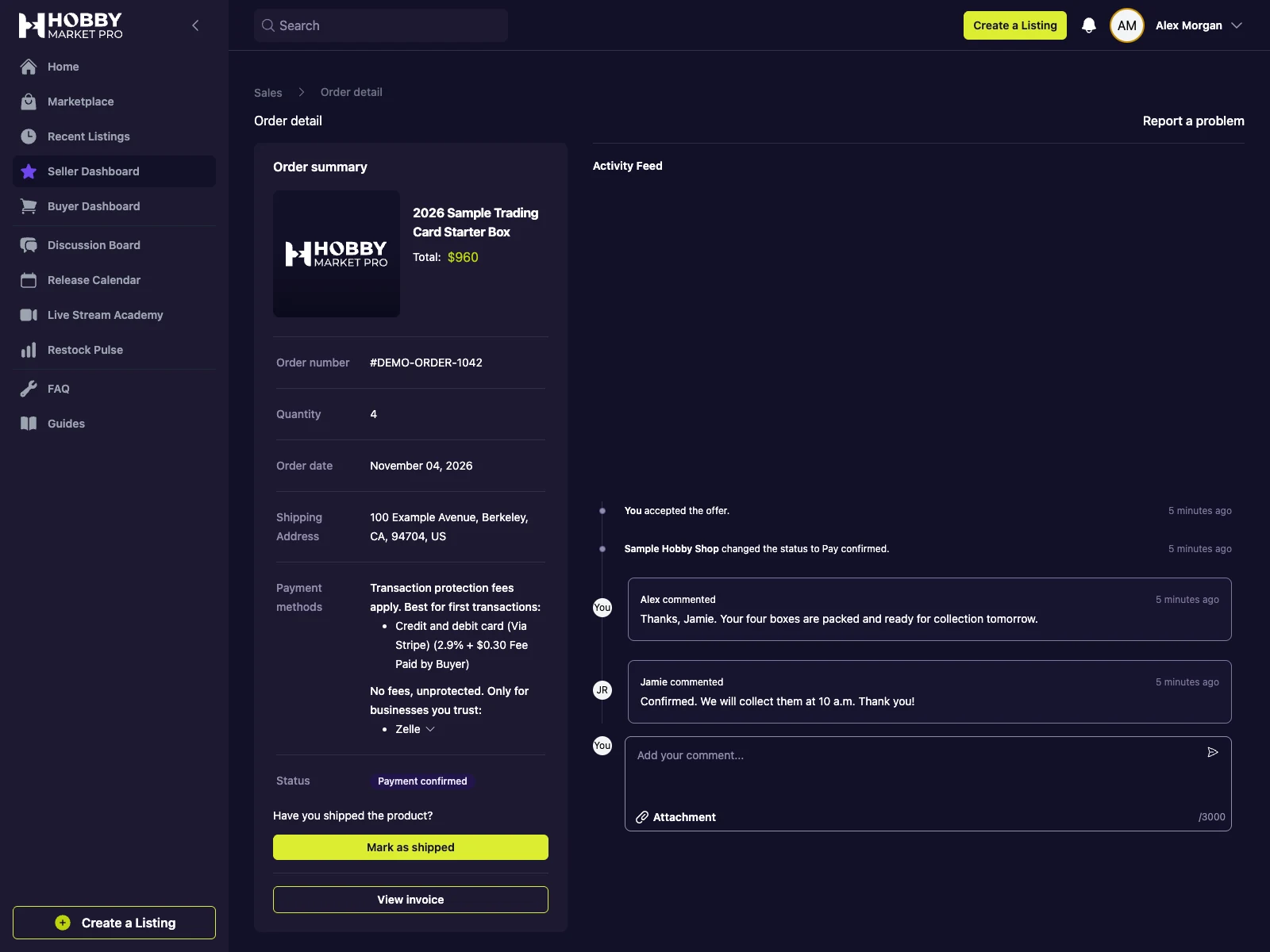 Open full-size screenshot
Model the steps that follow an offer
The application connects each order to its listing, buyer, seller, and accepted bid. Those relationships keep the agreed quantity and price tied to the transaction.
-
1
Browse and compare
Find products and review the available seller listings.
-
2
Agree on the trade
Negotiate an offer with a quantity and price.
-
3
Track payment and fulfillment
Follow the order through payment confirmation and shipment.
-
4
Complete the order
Record completion and leave feedback on the transaction.
Workflow illustration. Screenshots on this page show the local development application with synthetic data.
A foundation for the work around commerce
We built a marketplace shaped around dealer transactions, with separate buyer and seller workflows and a shared record of each order.
That foundation supports the next parts of the product: bringing seller inventory into the catalog and connecting listings to the stores sellers already operate.
More work within the HobbyMP partnership
Inventory onboarding
From inventory files to listings sellers can review
Turn uploaded or pasted inventory into catalog matches, draft listings, and a review queue that keeps sellers in control.
Shopify integration
Keeping store inventory connected to the marketplace
Connect Shopify catalogs and stock updates with marketplace listings while preserving seller decisions about publication.

Which part of your workflow needs better software?
Start with the decisions, handoffs, and exceptions your team manages today.